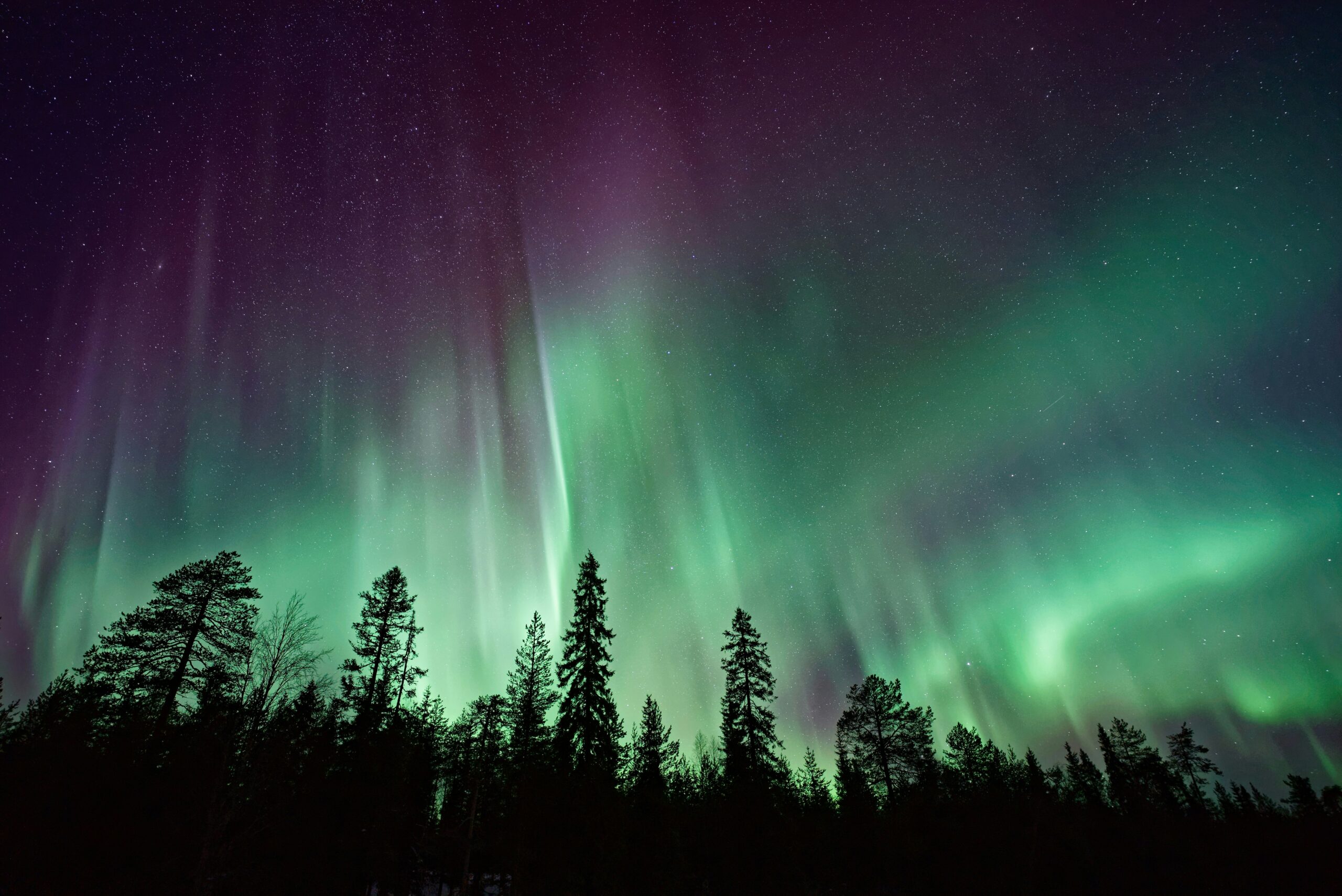

Photographing the Northern Lights (Aurora Borealis) looks intimidating — but it really doesn’t have to be. Whether you’re using an iPhone, Android, or a manual camera, this guide will walk you through it step by step, in plain English.
No jargon. No complicated setups. Just what actually works to photograph the northern lights.
Summary:
- iPhone
- Android
- Manual Settings on DSLR or Mirrorless
- Extra Tips
- Common Mistakes
First we suggest reading our post on how to predict the northern lights appearing
Before You Even Touch the Camera (This Part Matters Most)
Great aurora photos start before you press the shutter.
1. Get Away From Light Pollution
- Go somewhere dark (rural areas, coastlines, hills)
- Turn off nearby lights and car headlights
- Give your eyes 10–15 minutes to adjust to the dark
2. Check the Weather
- Clear skies are essential — clouds will block the aurora
- Cold is fine, clouds are not
3. Dress Warm & Be Patient
- You’ll be standing still for long periods
- Gloves, hat, thermal layers = happy photographer
Photographing the Northern Lights on an iPhone
Modern iPhones are surprisingly good at aurora photography.
What You Need
- An iPhone with Night Mode (iPhone 11 and newer)
- A small tripod (strongly recommended)
Simple iPhone Settings
- Open the Camera app
- Switch to Photo mode
- Make sure Night Mode (moon icon) is ON
- If using a tripod, Night Mode may auto‑extend to 10–30 seconds
- Tap the sky to focus, then slide exposure slightly down if the lights look too bright
Extra Tips
- Use the timer (3–10 seconds) to avoid shaking the phone
- Don’t zoom — zooming reduces image quality
- If the aurora is faint, your phone may see more than your eyes
Photographing the Northern Lights on Android
Many Android phones also have excellent night photography — especially Samsung, Google Pixel, and newer models.
What You Need
- A phone with Night Mode / Astro Mode / Pro Mode
- A tripod or stable surface
Simple Android Settings
- Open the Camera app
- Select Night Mode or Astro Mode
- Keep the phone completely still
- Let the phone finish processing (this can take a few seconds)
If You Have Pro Mode
- ISO: 800–1600
- Shutter speed: 10–20 seconds
- Focus: Manual → Infinity (∞)
Photographing the Northern Lights with a Manual Camera
This is where you get the most control — but it’s still simple once you know the basics.
What You Need
- Camera with manual mode (M)
- Wide‑angle lens (14–24mm is ideal)
- Tripod (non‑negotiable)
- Spare batteries (cold drains them fast)
Easy Starter Camera Settings
Use this as your baseline:
- Mode: Manual (M)
- Aperture: f/2 – f/2.8 (or as wide as your lens allows)
- ISO: 800–1600
- Shutter speed: 5–15 seconds
- Focus: Manual focus → Infinity (∞)
Take a photo, check it, then adjust:
- Too dark? Increase ISO or shutter time
- Too bright or blurry? Shorten shutter time
Important Focus Tip
Autofocus usually does not work in the dark.
- Switch to manual focus
- Focus on a bright star or distant light
- Tape the focus ring if needed
Advanced Tip
If You Want More Control Set Kelvin (K) white balance manually:
- 3500K–4000K → Most natural greens and purples
- 3000K → Cooler, more blue night sky
- 4500K → Warmer tones, slightly more yellow/green
Best all-round starting point:
– 3800K
Take one shot, check it, then adjust slightly if needed.
Important Tip (This Matters More Than WB)
- Always shoot in RAW, not JPEG
- White balance can be fully adjusted later in editing
- Exposure and focus matter far more than WB in the field
Composition Tip: Making Your Photos Look Amazing
A good photo isn’t just about the sky.
Add a Foreground
- Trees
- Mountains
- A lake or reflection
- A person for scale
This gives your photo depth and makes it more interesting.
Shoot Vertical & Horizontal
- Vertical shots work great for tall aurora curtains
- Horizontal works better for wide displays
Common Mistakes (And How to Avoid Them)
❌ Photos look blurry → Use a tripod and timer
❌ Aurora looks grey or dull → Increase ISO or exposure time
❌ Everything is out of focus → Manual focus to infinity
❌ Too much noise (grainy photo) → Lower ISO and slightly increase shutter time
Editing (Keep It Light)
You don’t need heavy editing.
Simple tweaks:
- Slightly increase contrast
- Gently boost clarity or vibrance
- Avoid over‑saturating — natural looks best
Apps like Lightroom or your phone’s built‑in editor work perfectly.
Final Thoughts
The Northern Lights are unpredictable — and that’s part of the magic.
Don’t stress about perfect settings. Some of the best aurora photos come from:
- Being patient
- Experimenting
- Enjoying the moment, not just the camera
Once again I would recommend following Will Photography for expert knowledge on when to expect a show
If your photo doesn’t turn out perfect, don’t worry — you still witnessed something unforgettable.
Happy aurora hunting ✨